Using FMEA SmartSuggest to Associate Controls with DVP&R Test Plans
On the DFMEA Worksheet, for the Prevention Controls and Detection Controls fields, FMEA SmartSuggest allows you to connect Test Plans from the DVP&R to the Design Controls.
When on the DFMEA Worksheet, select the Prevention Controls or Detection Controls field and to display the DFMEA SmartSuggest panel to the right of the worksheet, you can use the SmartSuggest button to select Show Suggestions.
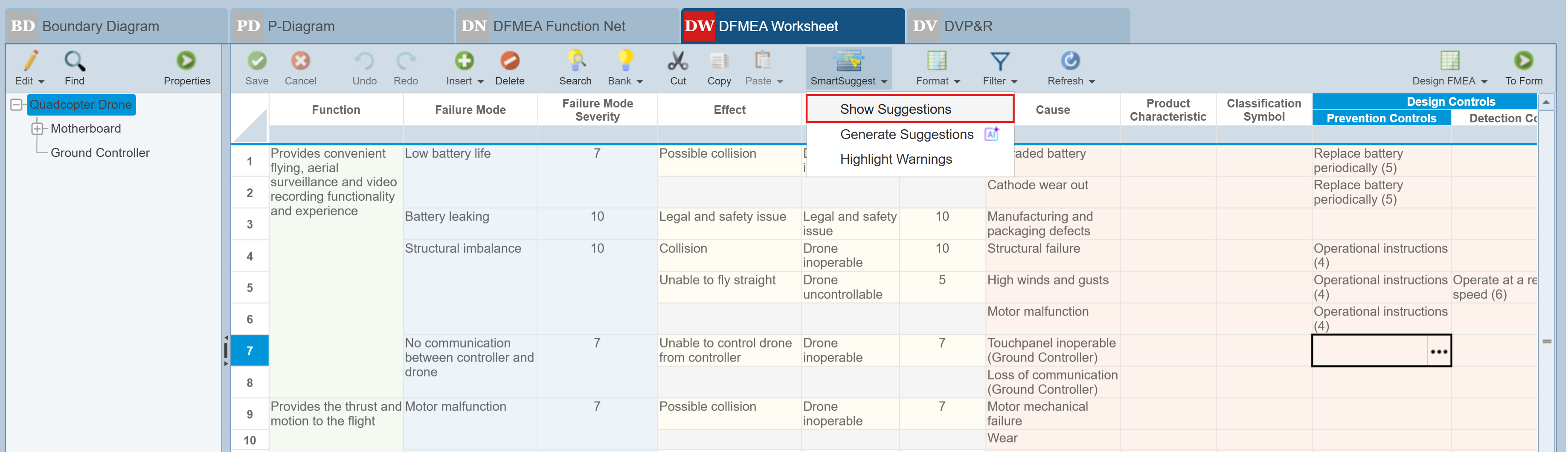
The DFMEA SMartSuggest panel is displayed to the right of the DFMEA Worksheet.
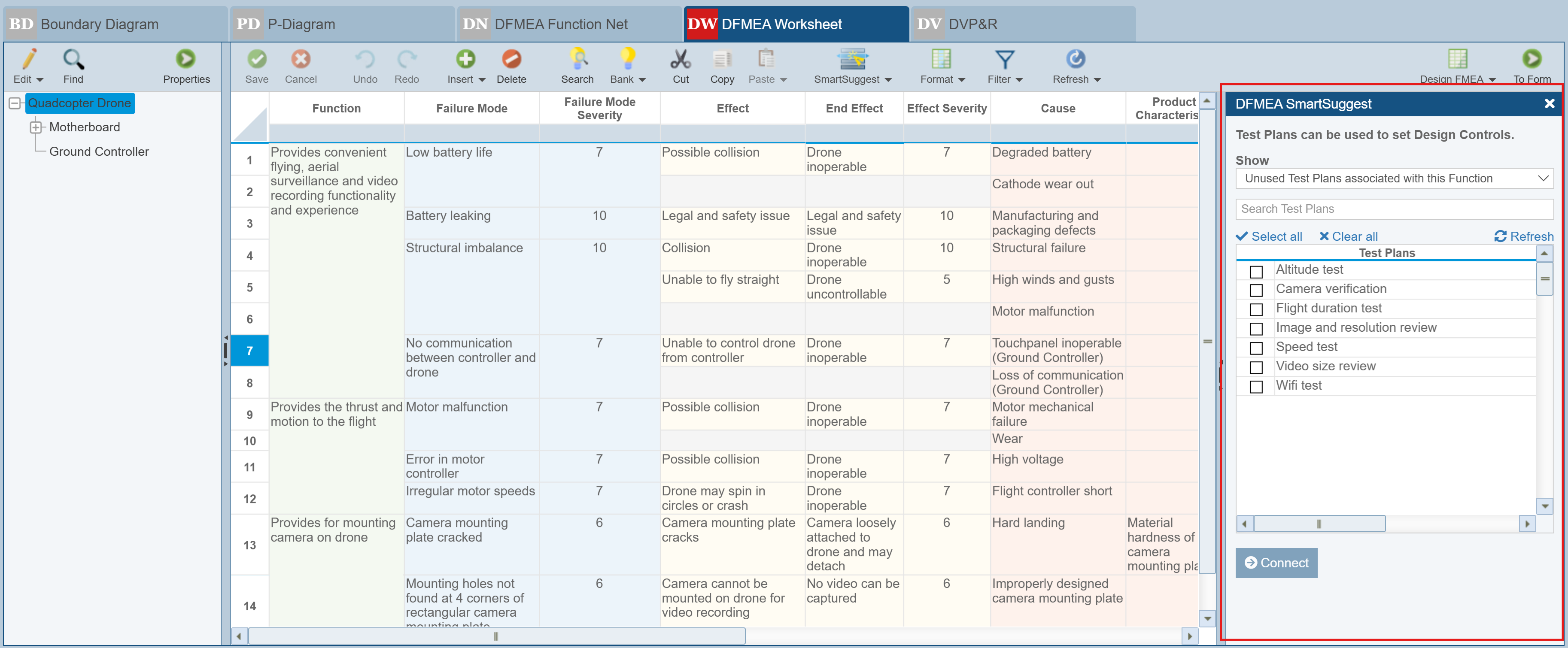
As long as you have the Prevention Controls or Detection Controls field selected, the DFMEA SmartSuggest pane will indicate Test Plans can be used to set Design Controls.
The Show field allows two choices:
- All Test Plans associated with this Function.
- Unused Test Plans associated with this Function.
Regardless of the details shown in the table, the following links appear just above the table:
- Search Test Plans - type test to search for a specific test plan
- Select all - clicking this checks all records in the table
- Clear all - clicking this clears all checked records in the table
- Refresh - clicking this updates the Test Plans table
Below the table, the Connect button is used to connect a Test Plan from the DVP&R to the Prevention or Detection Control.
When a Control is connected to a Test Plan, a link symbol appears in the Test on the DVP&R worksheet whereby you can opt to disconnect the Prevention Control.