Using the Part Type Helper
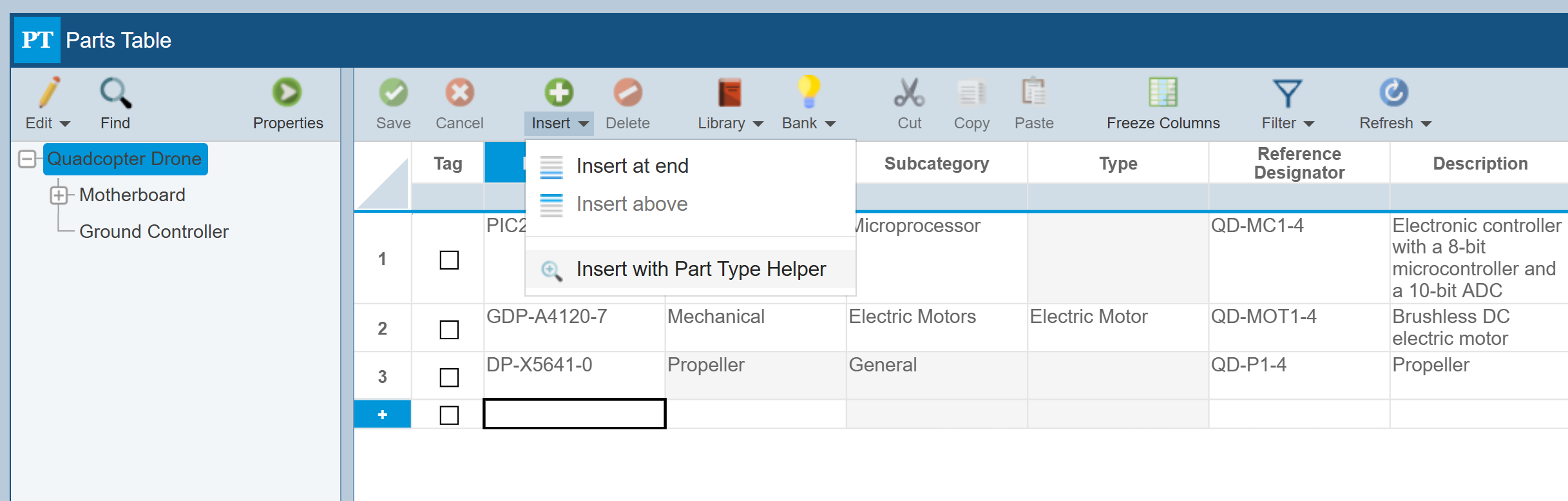
If you are not certain which Category, Subcategory and/or Type you should choose for a Part, consider using the Part Type Helper. To access the Part Type Helper, from the Parts Table, select Insert>Insert with Part Type Helper.
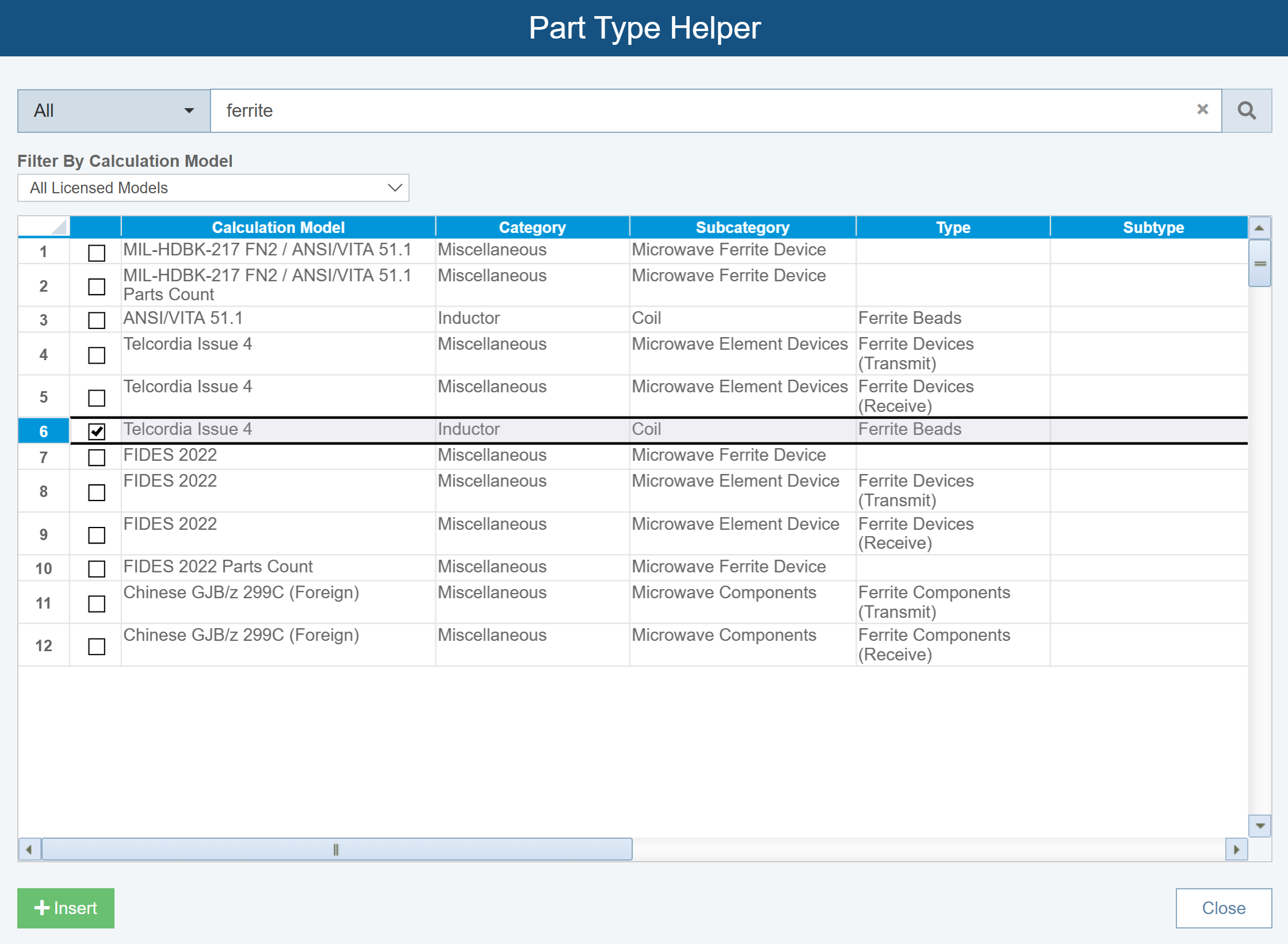
The Part Type Helper dialog appears.
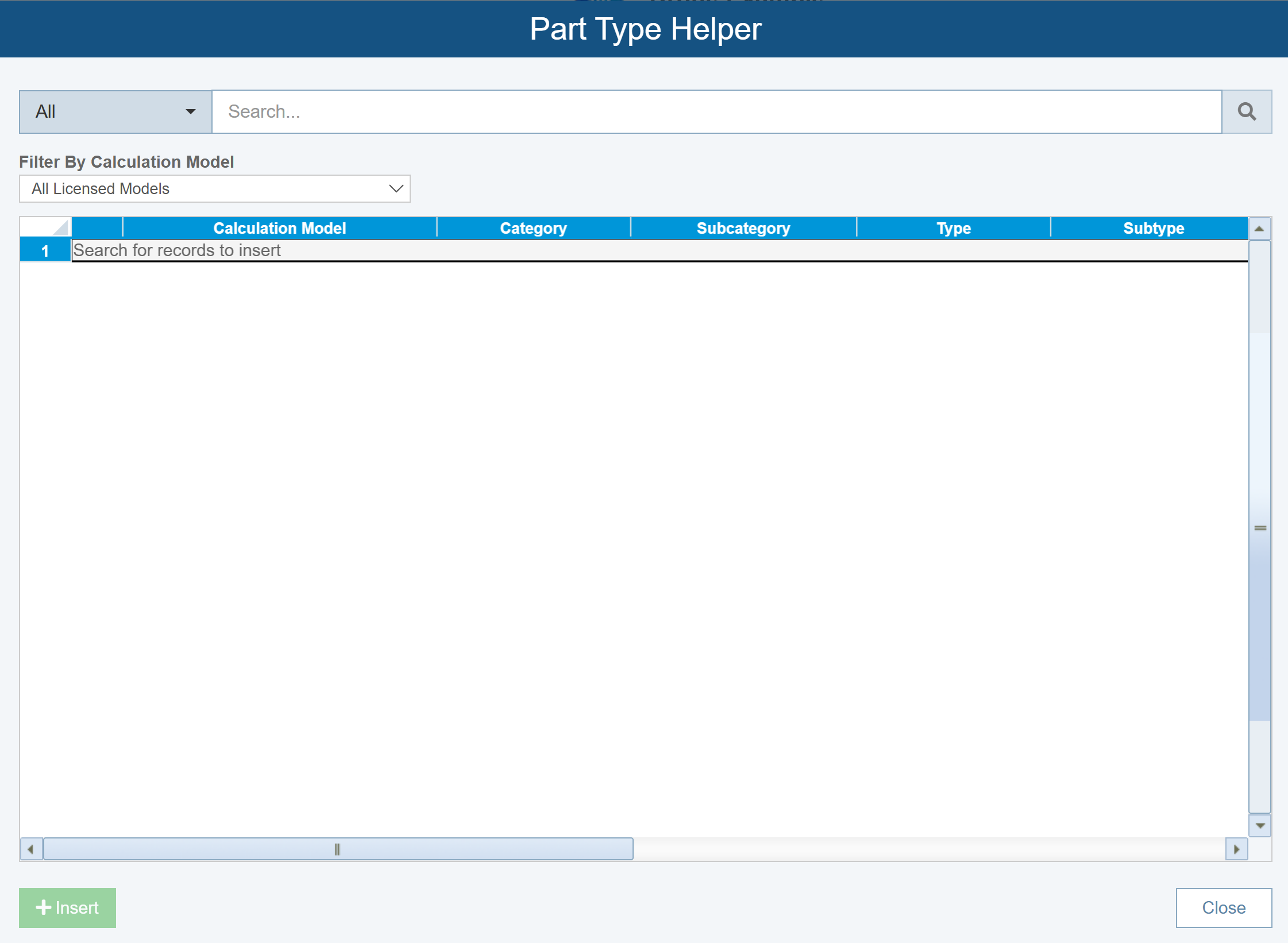
If desired, change the Filter By Calculation Model setting and enter the details you want to search for and click the Search button.
For example, assume you want to know how to enter Ferrite Beads, enter Ferrite and click Search.
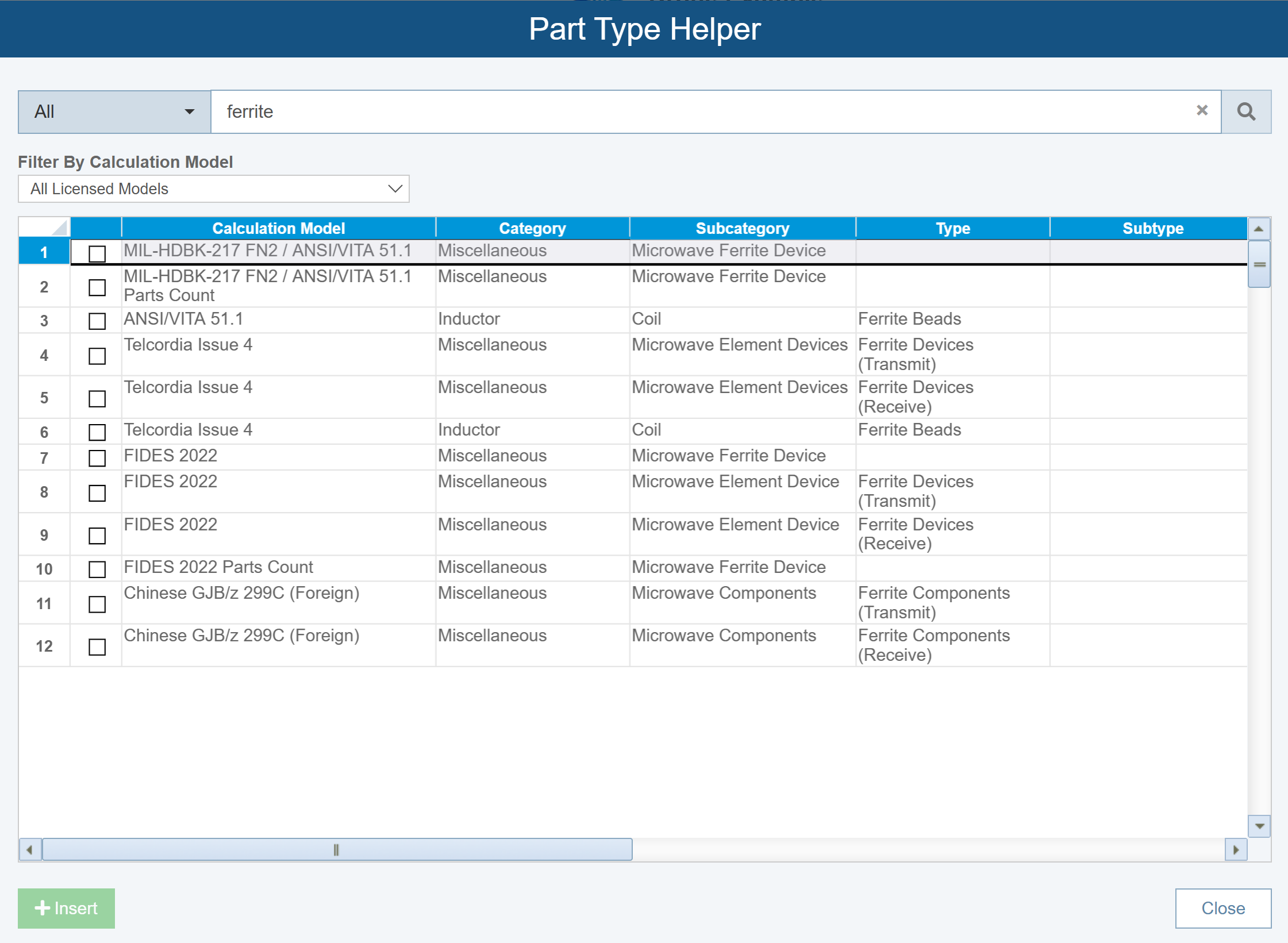
Assume you're using Telcordia Issue 4 as your Calculation Model, click the row for Telcordia Issue 4 - Inductor - Coil - Ferrite Beads and click Insert.
When finished using the Part Type Helper, click Close.
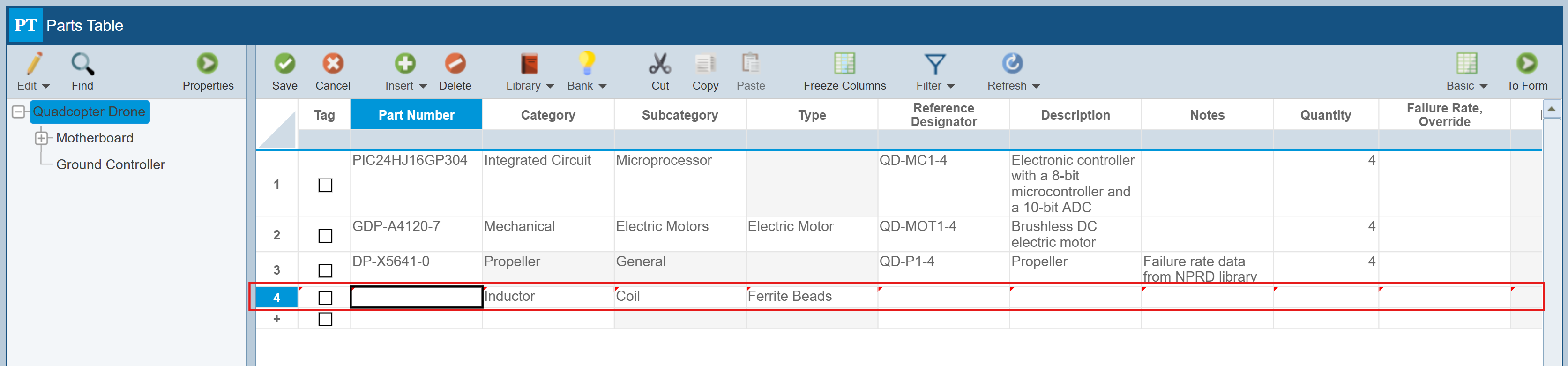
The new Part is added to the Parts Table with the appropriate Category, Subcategory and Type.