AI Features and Token Usage
Relyence includes AI-powered features, such as SmartSuggest Generate Suggestions, that assist in generating data, recommendations, and insights. These features use AI processing that may consume usage tokens.
What are Tokens?
Tokens are units that represent the amount of data processed by AI features. When you use an AI-powered function, tokens are consumed based on the size and complexity of the request and the generated response.
When are Tokens Used?
Tokens may be consumed when using AI-powered features, including using SmartSuggest>Generate Suggestions to create or expand on FMEA Worksheet content using AI-assisted tools. Each time an AI action is performed, token usage is calculated based on the data being processed.
What Affects Token Usage?
Token usage can vary depending on several factors, including:
- The amount of data included in the request
- The complexity of the AI processing being performed
- The number and size of generated suggestions or results
- Re-running AI-generated results
Larger or more complex requests will typically consume more tokens.
Managing Token Usage
To help manage token usage:
- Limit the scope of data when generating suggestions. For example, generating suggestions across Functions, Failure Modes, Effect, and Causes will consume more tokens than generating suggestions for Causes only.
- Avoid repeatedly running the same AI action unless necessary
- Review generated results carefully before re-running or expanding requests
You can view your token usage in the following ways:
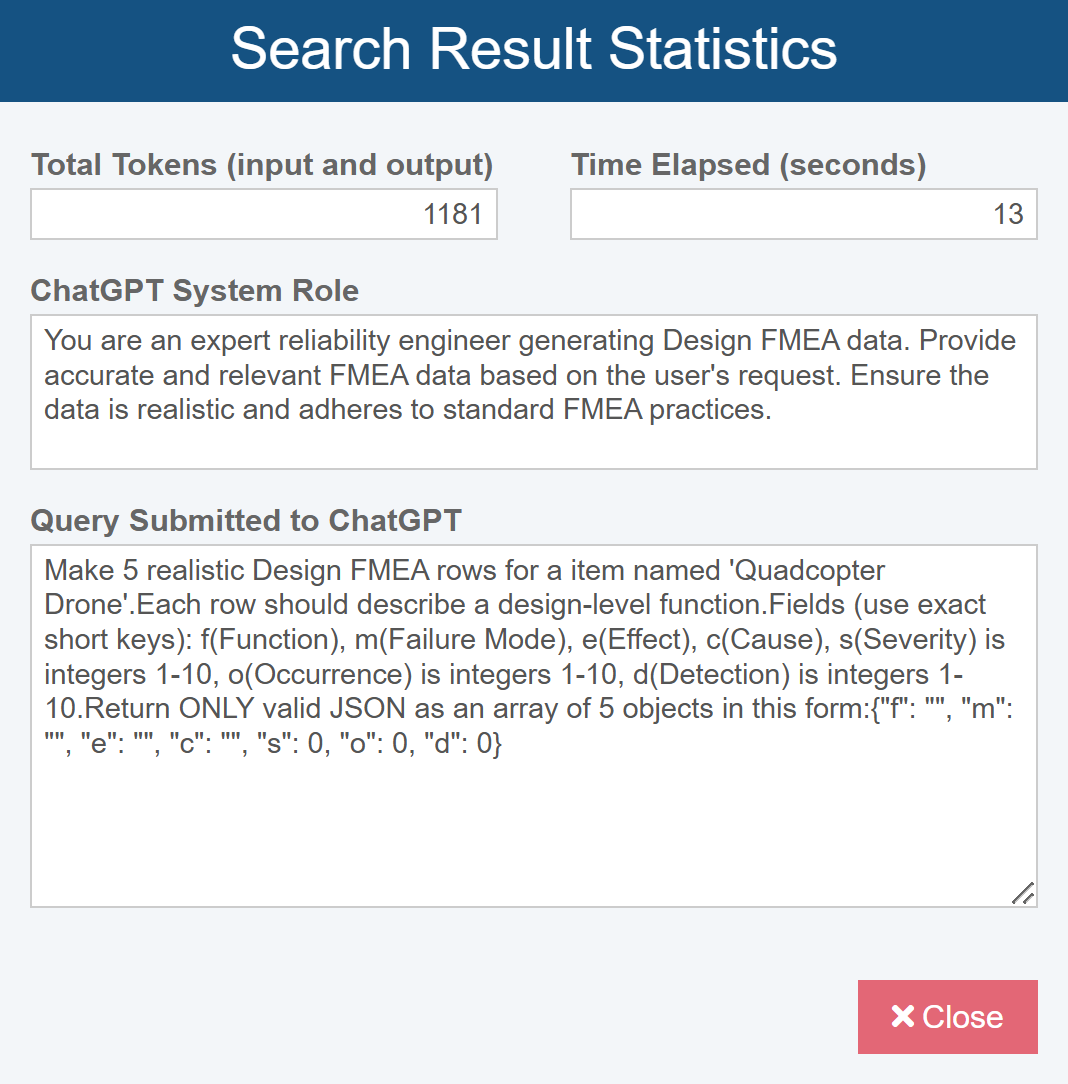
1. After each search, view the Total Tokens (input and output) used by selecting the Show Search Statistics button.

After clicking Show Search Statistics, the Search Results Statistics dialog is displayed.
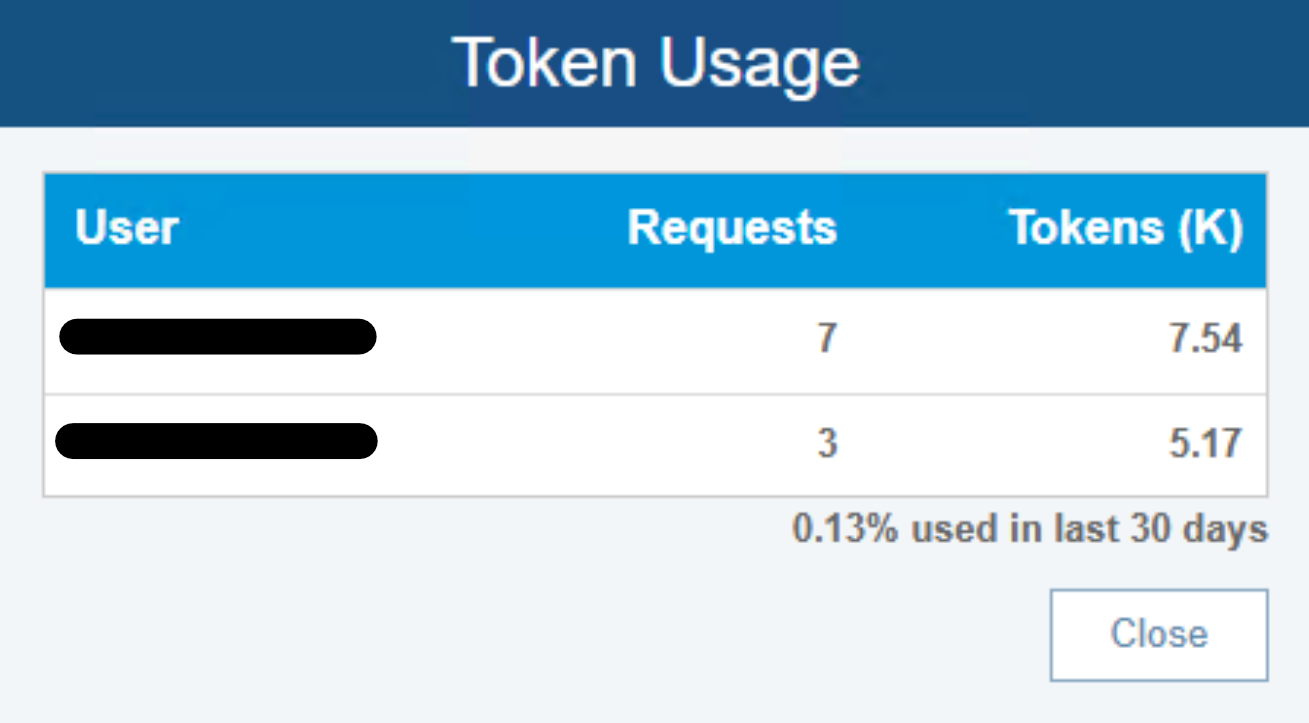
2. View your total token usage over the last 30 days by selecting the Show Token Usage button.

After clicking Show Token Usage, the Token Usage dialog is displayed.
What Happens if I Run Out of Tokens?
Each Relyence customer is allotted a set number of tokens based on their license. Token usage is measured over a 30-day period.
If your organization reaches its token limit within that 30-day period, AI-powered features such as Generate Suggestions will no longer be available until the next usage period begins.
If additional token capacity is needed, you can request more tokens for your account by contacting Relyence support at support@relyence.com.