
SAE1025 FMEA SOFTWARE
SAE International’s new FMEA standard, SAE10125, offers organizations one methodology and vocabulary for reducing risk across the product life cycle. Relyence FMEA supports SAE1025 with a preconfigured template and the addition of Software and Supportability FMEA types, while keeping all the full customization capabilities that are a Relyence trademark.
A Modern Successor to MIL-STD-1629A
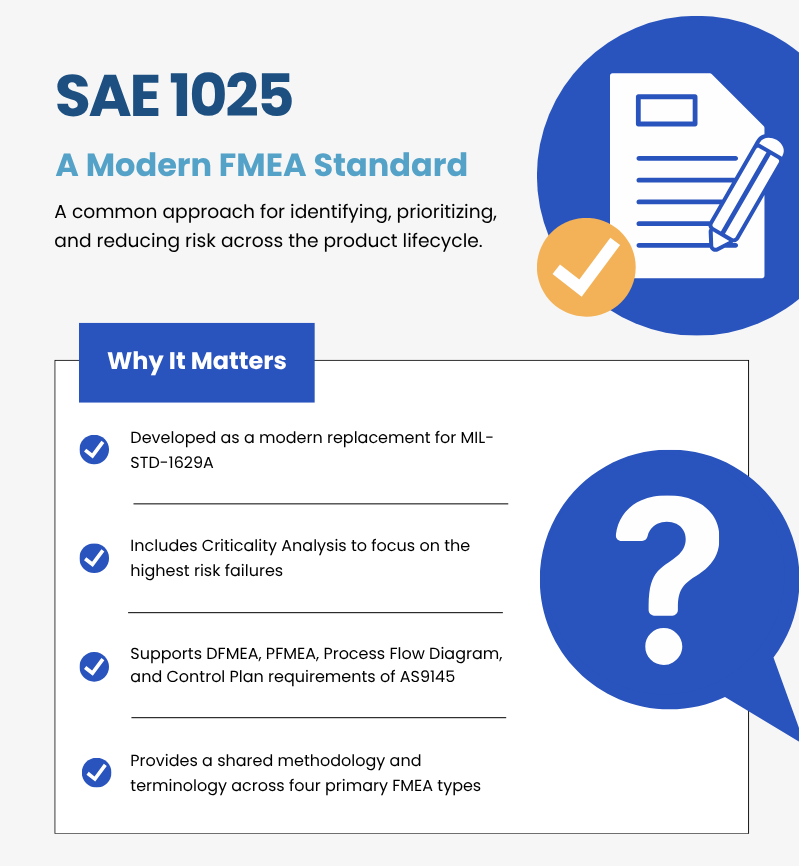
SAE1025, “Failure Mode and Effects Analysis (FMEA) – Includes Criticality Analysis and Design, Supportability, Software, and Process FMEA”, is SAE International’s new FMEA standard. It gives organizations one methodology and one vocabulary for identifying, evaluating, and reducing risk across the product life cycle. Relyence FMEA supports SAE1025 with a preconfigured template, dedicated Software and Supportability FMEA types, and the Worksheet fields the standard calls for, while keeping the complete customization Relyence FMEA is known for.
Four FMEA Types in One Standard
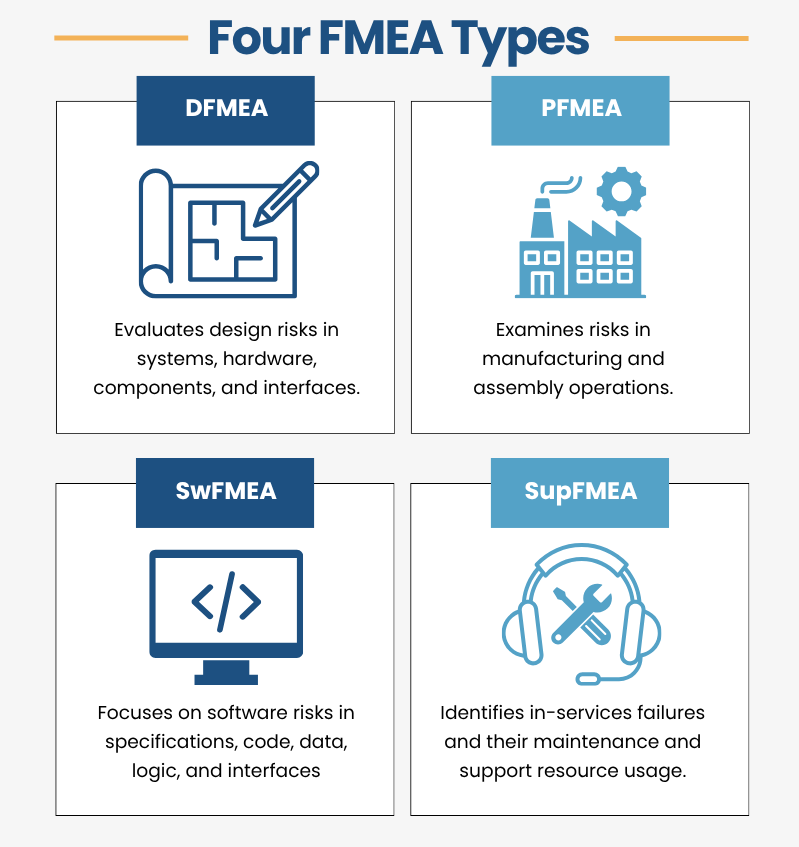
Design FMEA evaluates potential weaknesses in a product design, from system functions and interfaces down to hardware and components. Process FMEA examines how manufacturing and assembly operations could fail and connects those risks to Process Flow Diagrams and Control Plans. Software FMEA focuses on deficiencies in software specifications, design, code, data, logic, and interfaces. Supportability FMEA looks at failures after a product enters service and the maintenance and support resources needed to address them. Relyence FMEA supports all four, alongside your FMEA-MSRs and FMECAs.
Start with a Preconfigured SAE1025 Template
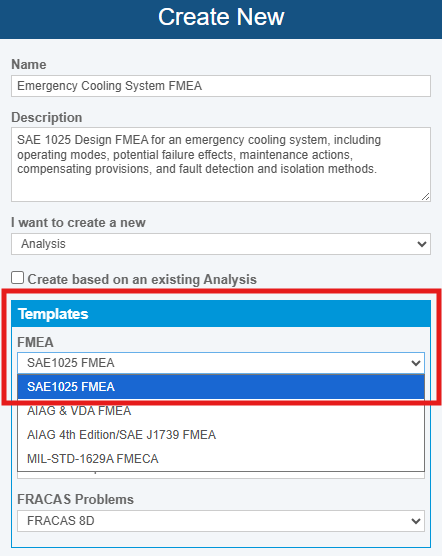
The SAE1025 template is now the default for new FMEA Analyses. It enables Design, Process, Software, and Supportability FMEA with the standard’s terminology, Risk Criteria, and Worksheet views already set up, including the use of Discovery and Criticality. Configurable Criticality Rules assign High, Medium, or Low levels based on the risk ratings for each FMEA type. Terminology, fields, rating criteria, and Worksheets all remain customizable to match your procedures and customer requirements.
Worksheet Fields for Operation, Maintenance, and Diagnosis
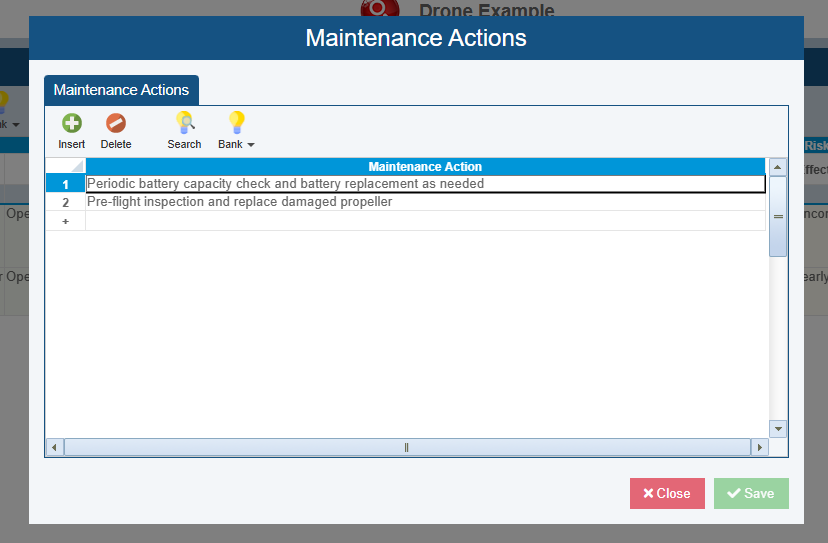
SAE1025 data elements are built into the applicable Worksheets, so operational, maintenance, and diagnostic information stays tied to each failure scenario. Operating Modes link each Function or Process Step to the mission phase or operating state where it’s performed. Preliminary Maintenance Actions capture servicing, calibration, or replacement recommendations while Causes are evaluated, and Compensating Provisions document safeguards such as redundancy, alarms, or error-proofing that avoid or reduce a failure’s Effect. Failure Detection Methods and Fault Isolation Method describe how an in-service failure is recognized and traced to its source.
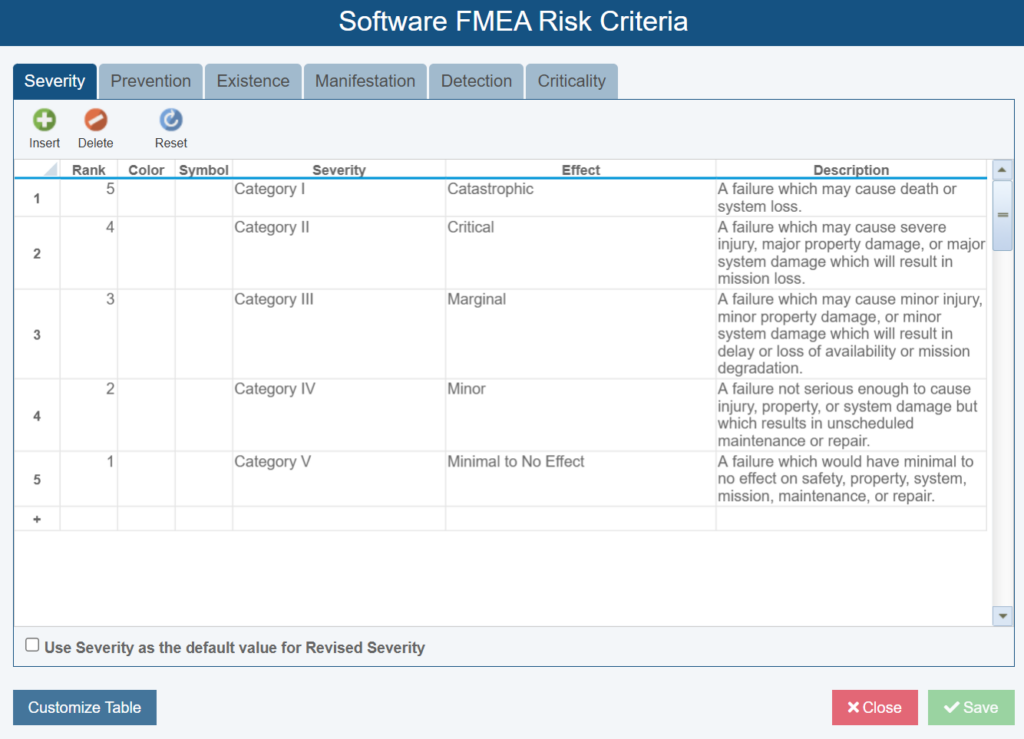
Software FMEA
Software failures don’t fit a hardware failure model, so Software FMEA rates occurrence for each Cause on four factors. Prevention considers the independent design controls in place, Existence considers whether a deficiency may be present in the specification, design, code, or interfaces, Manifestation considers whether the conditions to trigger it are likely, and Detection considers whether a specific test will find it before release.
Supportability FMEA
Supportability FMEA extends your analysis past design and manufacturing into service. Identify in-service failures, the maintenance and support resources needed to correct them, and design changes that could reduce maintenance demands, downtime, and long-term support costs. Starting early lets you compare support concepts and design-versus-supportability tradeoffs before the design is final, and dedicated Dashboard widgets help you focus on the most important risks.

